Chapter 1: Python
Programming is how we, as humans, instruct computers to perform tasks. In this course, we’ll be using a programming language known as Python. Although there are many other extremely popular and important languages, Python is widely used because it’s readable, user-friendly, and powerful enough to build everything from simple scripts to large-scale applications.
Writing Code
To write our first program, we need to open up VS Code and create a new file. It’s a good idea to create a dedicated folder to store all the code you write for this class.
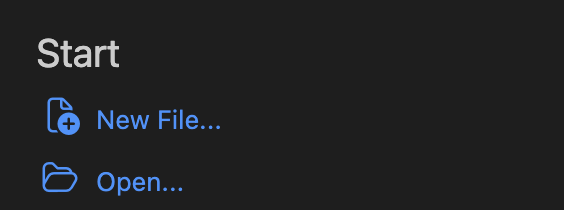
After navigating to the new folder, create a new file by opening to the VS Code sidebar and clicking the “New File…” button.
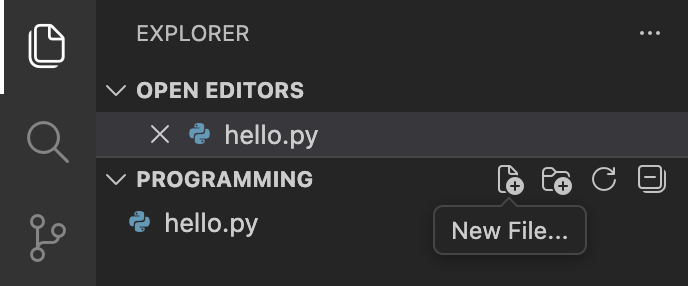
For this tutorial, we’ll name the file hello.py, but you can choose any name you like. Inside this file, we’ll write our very first line of Python code:
print("Hello, World!")This little program that we wrote instructs the computer to print the phrase “Hello, World!” to your terminal. However, computers don’t natively understand programming languages. At their core, computers operate using only ones and zeros. So when we write code in a language like Python, we need an interpreter to translate our human-readable instructions into something the computer can understand—machine code (i.e. ones and zeros).
To run hello.py, open your terminal, also known as the command line interface (CLI), and enter the following command:
python3 filename.py
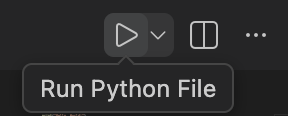
Alternatively, you can simply click the Run button in the top-right corner of VS Code. That said, it is highly recommended that you still get comfortable with the terminal. The terminal provides direct interaction with your computer and access to powerful tools that graphical interfaces (GUIs) often lack.
After running the file, whether it was via the CLI or GUI, you should see “Hello World” printed to the terminal. Now, you’ve officially written and run your first Python program.
Fun fact: This program is traditionally the first program everybody writes when learning to code.
Looking Forward
Now that you’ve written and run your first Python program, you’re ready to start exploring how real programs interact with users, store information, and perform calculations. In the next chapter, we’ll begin building programs that respond to user input, keep track of values, and manipulate text and numbers.